
A client sends back your four-minute recruitment film with one note from their legal team. It needs captions before it hits the careers page, and the page publishes Thursday. Your editor says that is an hour of work. Their procurement team already has a vendor quote at $2.50 per minute. Both numbers are real. The gap between them is where most of the confusion about video captions and subtitles cost actually lives.
Captioning stopped being a niche accessibility task somewhere around the time every social feed started autoplaying on mute. It is now a standing line item on corporate, event, social, and even wedding highlight deliverables. The pricing never caught up with that shift. You can pay nothing for it. You can also pay $6 a minute. In both cases someone will tell you, with total confidence, that theirs is the correct rate. My honest take after quoting a lot of these: the rate matters far less than knowing which tier the client actually needs.
What video captions and subtitles cost in 2026
Five tiers exist in this market. Price per finished video minute is the only honest way to compare video captions and subtitles cost across them.
- Auto captions in your NLE: effectively free. Premiere Pro’s speech-to-text and DaVinci Resolve Studio’s transcription ship with a license you already pay for. That is about $23 a month for a single Adobe app, or $295 once for Resolve Studio.
- Human English transcription: $1.50 to $2.50 per video minute. Rev, GoTranscript, and Descript’s human tier all sit in this band. Turnaround is 24 to 48 hours, delivered as SRT or VTT.
- Compliance captioning: $2.50 to $6 per minute. 3Play Media, Verbit, and VITAC sell a stated accuracy commitment and WCAG-mapped output. You also get a paper trail you can hand to counsel.
- Translated subtitles: $6 to $15 per minute, per language. Their own market, with their own rules.
- Burned-in social captions: $40 to $150 per asset for a 30 to 60 second vertical cut. Styling drives that price, not runtime.
The free tier is the one people misprice. Auto-transcription costs nothing at the point of sale, then eats an editor’s afternoon. Cleanup time is the real invoice, and it stays invisible until somebody tracks it.
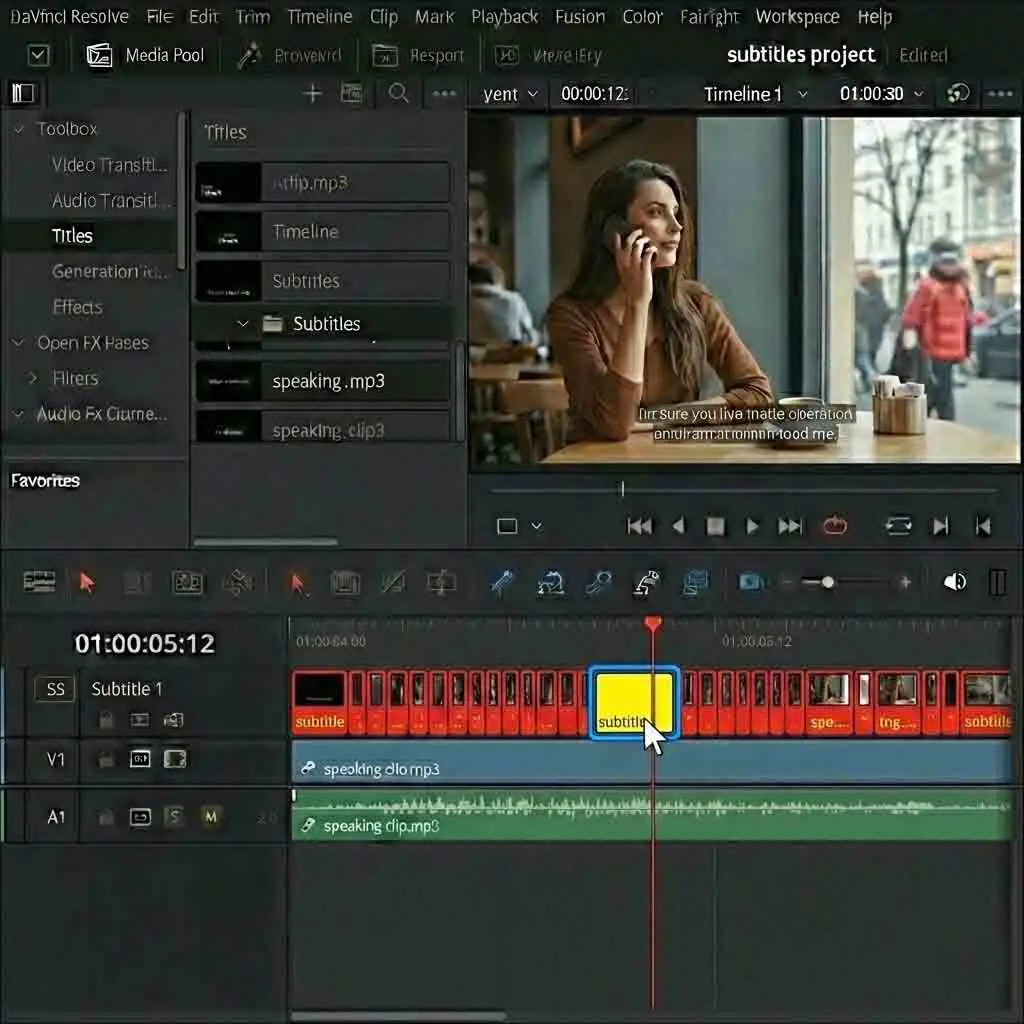
Run the numbers on a real job and the tiers stop feeling abstract. Take a 12-minute internal training video: clean lavalier audio, one speaker, no jargon. Auto-transcribe and clean it in-house and you will spend 30 to 50 minutes of editor time. At a $75 hourly rate, that is $38 to $63 of billable capacity spent on punctuation. Send the same file to a human service at $1.99 a minute and it costs $23.88. It lands in your inbox overnight. For plain English on good audio, outsourcing usually beats doing it yourself. Most independents find that counterintuitive right up until they time themselves once.
Captions, subtitles, and SDH are not the same product
These three words get swapped around freely in client emails. They are three different deliverables with three different price tags. Captions assume the viewer cannot hear the audio at all. They carry speaker identification and non-speech information: [door slams], [applause], [MARIA]. Subtitles assume the viewer hears fine but does not speak the language, so they carry dialogue only. SDH, subtitles for the deaf and hard of hearing, is the hybrid the streaming platforms standardized on. It looks like a subtitle and carries caption-level sound information.
Here is why that distinction moves the video captions and subtitles cost on your invoice. A vendor quoting $1.99 a minute is almost always quoting dialogue-only English subtitles. Ask for full captions with sound events and speaker labels and you move into the $2.50 to $3.50 range. Someone has to make editorial calls about which sounds carry meaning. On a documentary interview with steady room tone, that judgment is trivial. On a brand film with a scored 40-second montage and no dialogue, it is real work. A lazy vendor parks “[upbeat music playing]” on screen for the entire montage and calls it delivered.
A format question hides underneath all of this. Three files cover almost every request you will get:
- SRT. The universal sidecar. Plays nearly everywhere, carries no styling.
- WebVTT. The web standard. Supports positioning and light styling. That matters the moment captions land on top of a lower third.
- SCC. The broadcast format. It carries CEA-608 and 708 data under strict frame-accurate timing rules.
Send an SRT to a client who said “this is for broadcast” and it bounces back the same day. Ask which format before you quote, not after.
One habit worth stealing from post houses: name the deliverable in writing. “One English SDH file in WebVTT, 99 percent accuracy, timed to the approved 23.976 master.” That sentence settles every argument that follows. Vagueness here turns a $95 add-on into a free re-do. If captioning sits on your corporate video rate card, say which of the three you sell.
Where automated captions hold up and where they fall apart
Modern speech-to-text is genuinely good. On a single speaker with a clean lav feed, no unfamiliar accent, and no jargon, accuracy is strong. Whisper-class models and the transcription built into Premiere and Resolve land around 92 to 97 percent word accuracy. That sounds close enough until you do the arithmetic. At 95 percent, a 10-minute video holds roughly 1,500 spoken words and about 75 errors. Those errors cluster in exactly the words that matter: names, product names, acronyms, prices.
The failure modes are predictable, which is good news, because predictable means you can price around them.
- Overlapping speakers on a panel, where the model fuses two voices into one run-on line.
- Room audio grabbed from an on-camera mic at the back of a conference hall.
- Heavy regional accents, plus any speaker code-switching between two languages.
- Industry vocabulary the model has never met. A fintech explainer or a medical device demo will hit 15 to 20 percent error rates. Those errors land on the exact terms the client cares about.
Raw output also has no idea where a sentence ends. It arrives as unpunctuated runs that read like a ransom note.
The workflow most working videographers settle on is a hybrid. Auto-transcribe first. Then run one pass at 1.5x speed fixing proper nouns and sentence breaks. Then a second, shorter pass on timing and reading speed. Budget 1.5 to 2.5 times the runtime for that combined cleanup on a first attempt. It gets faster with a project glossary. If you shoot repeatedly for one client, build a name-and-acronym list into your project template. By the third video it has paid for itself.
The one place I would not touch auto captions is anything a compliance officer will read. Not because the accuracy is hopeless. It is because “we ran it through the AI” is a sentence nobody wants in a discovery request.
What actually drives your captioning quote up
Vendor quotes land above the published rate card for one of six reasons. Each one pushes the video captions and subtitles cost up in a different way. Knowing which is in play lets you argue the price down, or design it out of the shoot.
- Audio quality. Camera-mic sound, echoey rooms, and crosstalk push per-minute rates up 30 to 50 percent. A human has to scrub and re-listen.
- Speaker count. A five-person panel with talkover can cost double a monologue. Every line needs attribution.
- Turnaround. Standard is 24 to 48 hours. Same-day roughly doubles the rate. Four-hour rush can triple it.
- Technical vocabulary. Legal, medical, and engineering content carries a specialist surcharge of $1 to $3 per minute at most vendors.
- Verbatim versus clean read. True verbatim keeps every stammer, false start, and “um”. It is slower to type and slower to time, so it usually adds about 25 percent.
- Frame rate. Footage shot at 23.976 and captioned against a 24 fps timeline will drift. Drift correction is billable cleanup.
That last one bites people who never think about it. A caption file authored at the wrong frame rate looks perfect at the top of a 45-minute conference recording. By the end it sits a full second off the audio, which is arguably worse than no captions at all. Delivering an SCC for broadcast, or a long-form event recording? Name the exact frame rate in writing. Say whether it is drop-frame in the same message that carries the file.
Audio quality is the one variable you actually control. A $25 second lav will save more on the captioning line than any negotiation with a vendor. So will ten minutes spent moving an interview away from an HVAC return. Most people skip that step, then pay a rush surcharge to repair it in post.

Translated subtitles: what a second language really adds
Translation splits into two very different services, and clients rarely know which one they asked for. Machine translation with a human review pass, usually sold as MTPE, runs $4 to $8 per minute per language. Full human translation, done by a native speaker who watches the video, runs $9 to $15. That gap widens for languages with smaller translator pools. Spanish and French sit at the low end. Japanese, Korean, and Arabic sit at the top. The talent pool is smaller there. Reading speed and text direction also force real timing rework.
Budget the source transcript first. Every translation vendor works from a finished English caption file. So a 10-minute brand film going into four languages costs you the English pass, maybe $25. Then add four translations at $9 to $12 a minute. Call it $360 to $480. The English file is a rounding error. The translations are the project. Clients who tack “a few subtitle versions” onto a $6,000 brand film are proposing a 10 percent budget increase. Most have no idea they just did.
One piece of craft saves real money downstream. Hold your English cues to 32 to 42 characters per line, two lines maximum. Give every cue at least a second on screen. German and Finnish expand 20 to 35 percent over English. If your source cues already sit at the character ceiling, the translator cannot simply swap text. They have to re-time the whole file. Re-timing turns a $9 per minute job into a $14 one. Build that headroom in while you are still working in English, when it costs you nothing.
Burned-in captions or a sidecar file: pick per platform
Open captions live permanently in the picture. Closed captions ship as a separate file the viewer can toggle. They solve different problems, and the right answer changes per platform rather than per client.
Burned-in wins on social. Feed algorithms reward video that holds attention through the first three seconds of muted autoplay. Text the viewer cannot accidentally switch off does that job. It is also the only dependable option on platforms where uploaded caption files get stripped, re-encoded, or quietly ignored.
Sidecar files win almost everywhere else. A separate transcript is searchable, so it feeds SEO on a website embed instead of sitting there as pixels. Six months later, when legal wants one sentence changed, you edit a text file. No re-export, no re-upload of a master. Accessibility standards also expect the toggleable version. Burned-in text cannot be resized, restyled, or read aloud by a screen reader.
What experienced editors hand over is both. There is a clean master with an SRT and a VTT. Then come the separate burned-in vertical cuts for social media distribution. Price them as separate lines on the estimate. A caption file on a finished master is 20 minutes of work. Six styled vertical cuts with keyword highlighting is half a day. Bundle those under one word, “captions”, and you will eat the difference every time.
Who is legally on the hook, and what to put in your contract
Accessibility obligations attach to the publisher, not the vendor. A hospital system, a university, or a public agency that posts uncaptioned video carries the exposure. The ADA and Section 508 both apply. Nearly every procurement document points at the same bar: WCAG 2.1 Level AA from the W3C. It requires captions for all prerecorded audio content. The 2019 Harvard and MIT settlements over uncaptioned online course video are the cases people still cite. They are also why any client with a compliance officer will not accept auto-generated captions on a public page.
That is your client’s problem legally and your problem commercially. Two clauses keep it clean. First, state whether captions are included and at what standard. Something like: “Deliverables include one English SRT caption file at 99 percent accuracy for the final approved cut.” Second, tie caption work to picture lock. If a client re-edits after captions are delivered, every cue past the change point shifts. Re-conforming that file is 30 to 60 minutes you never quoted for. Bill it at your standard revision rate instead of absorbing it.
For your own pricing, a flat add-on that scales with runtime beats an hourly estimate nobody can verify. Something like $95 under five minutes, $150 up to 15 minutes, then a per-minute rate above that. It sits above your outsourced cost. It covers the review pass and the frame-rate check. And it stays small enough against a $4,000 production that clients approve it without a meeting. A caption and transcript line is one of the easier upsells to explain. It shows up on plenty of directory profiles for that reason. If you are still setting yours up, see how BookVideographer works before you publish a rate card.
Before your next delivery, open your last finished project and export an SRT from it. Time yourself on the cleanup pass. Then multiply that number by your hourly rate. That figure tells you where video captions and subtitles cost belongs: an outsourced line item, or in-house time. Every price above is a benchmark. That one is yours.