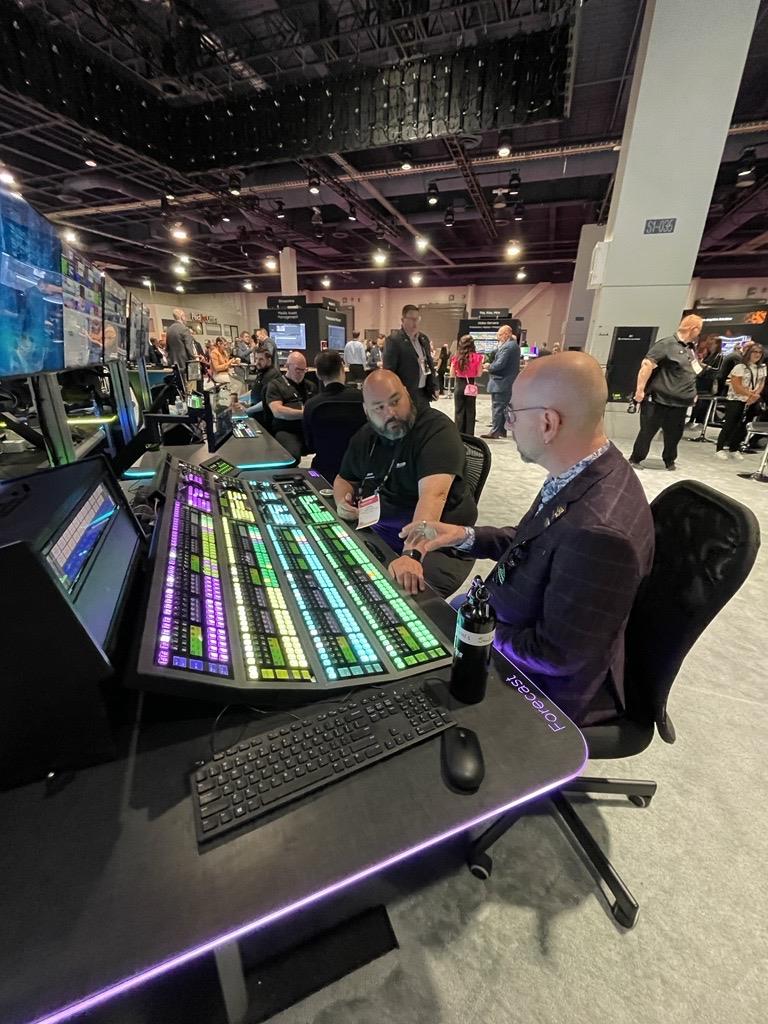
Your company’s annual conference is in six weeks. There are 400 people in the room and another 1,500 registered to watch from home. Someone asks what it will cost to livestream the whole thing. The three quotes that come back land at $900, $4,200, and $13,500. All three are real bids for the same event, and not one vendor is trying to rip you off.
The cost to livestream an event swings that wildly for one reason. “Livestream” covers a huge range. At one end is a single camera pointed at a stage. At the other is a six-camera broadcast with graphics, instant replay, and a backup connection riding on bonded cellular. Before you can judge a quote, you have to know which version you’re buying. This guide walks through the real price tiers, the gear behind them, and the line items that quietly wreck budgets.
What the cost to livestream an event actually covers
A livestream price is mostly labor and risk, not equipment rental. The camera and the encoder are a small slice of the bill. What you pay for is a crew that can keep a feed alive in front of a live audience with no second take. That single demand, getting it right while it happens, drives most of the cost to livestream an event.
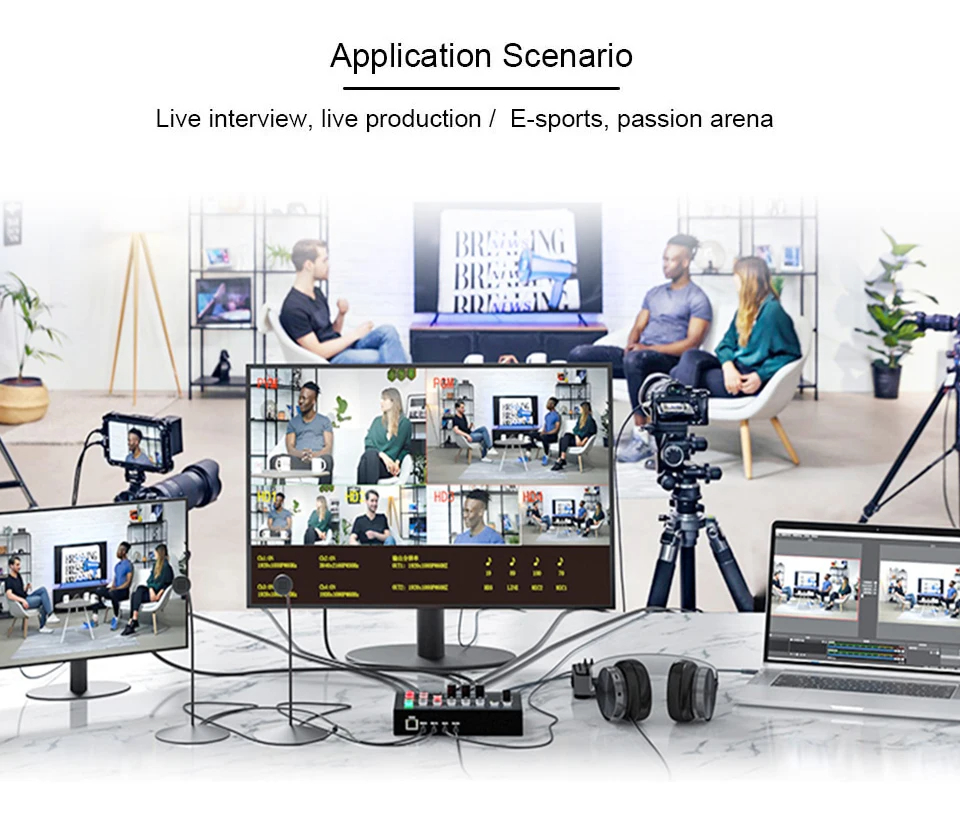
Think of it in three buckets. Capture is the cameras and the operators behind them. Production is the switcher, the audio mix, the lower-third graphics, and the slides rolled into the program. Transmission is the encoder, the internet path, and the platform the stream lands on. A $900 stream collapses all three into one laptop and one camera, run by one person. A $13,500 stream staffs each bucket with its own people and its own redundant hardware. The gap is almost entirely headcount and backup.
Day length matters more than people expect. A two-hour panel and an eight-hour conference can use identical gear. The longer day still means a full crew call, meal penalties, and a tech who has been awake since the 6 a.m. load-in. Most pros price a livestream as a half-day, up to four hours on site, or a full day of eight to ten hours. Overtime kicks in after that at $75 to $150 per crew member per hour.
Here’s the math in practice. A two-camera corporate stream might bill $4,200: roughly $2,400 for three crew across a full day, $900 for switcher, encoder, and cabling, $500 for a bonded cellular backup, and $400 for the gated platform and captions. The cameras themselves are the cheapest line on the page.
Single-camera vs multi-camera livestream pricing
The single biggest lever on the cost to livestream an event is camera count. Each camera you add brings an operator, a cable run or wireless link, and another row on the switcher.
A single-camera livestream, locked off or run by one person, costs roughly $800 to $2,500 for a half-day. That buys one good camera, say a Sony FX6 or a Panasonic AG-CX10 class body. Audio is a basic feed pulled off the venue’s sound board. You also get a hardware encoder like a Blackmagic Web Presenter or an ATEM Mini Pro pushing to YouTube or Vimeo. It’s the right tier for a single-speaker webinar, a church service, or a fireside chat where nobody needs cutaways.
Two to three cameras is where most corporate and conference work sits. Expect $2,500 to $6,500 for a full day. Now a director switches between a wide shot, a tight shot on the speaker, and an audience or slides feed. You also get a dedicated audio operator, real lower-third graphics, and clean slide integration over HDMI or NDI. Shoots like this overlap heavily with broader event videography work. Many crews quote the livestream and the recording as one bundle, since the cameras are already rolling.
Four or more cameras pushes you into broadcast territory: $7,000 to $20,000 and up. That covers instant replay for sports and multiple wireless handhelds for a gala. Add jib or crane shots, a graphics operator on a separate machine, and a producer in comms with the room. Concerts, award shows, and large hybrid conferences live here. My honest take: plenty of corporate clients overspend at this tier for a room of 400, when three cameras would have looked just as sharp on a laptop at home.
The gear and software behind the price
Knowing the hardware helps you read a quote and spot where someone cut a corner that will bite you later.

On the switching side, the tiers look like this:
- ATEM Mini line: Blackmagic’s $300 to $1,000 ATEM Mini switchers mix up to four HDMI sources, fine for small jobs.
- vMix or Wirecast: software on a dedicated PC, licensed by most freelancers for $350 to $1,200.
- ATEM Television Studio hardware: a step up for bigger rigs with more inputs and physical control.
OBS Studio is free and genuinely capable. Still, a crew running a 1,500-viewer corporate stream on OBS alone, with no hardware fallback, is taking a risk you should know about.
Audio gets ignored in cheap quotes, and it shouldn’t. Pulling a clean feed off the house board is fine when the venue has a competent sound engineer. When it doesn’t, a real crew brings its own: a Shure or Sennheiser wireless lav on the speaker, a small RodeCaster or Zoom mixer, and a backup recorder. Viewers forgive a soft picture long before they forgive audio they can’t hear.
For transmission, the encoder turns the program feed into a stream the internet can carry. A hardware encoder, like a Teradek VidiU, a LiveU Solo, or the one built into the ATEM, beats software for reliability. It does one job and reboots in seconds. If the venue’s wired internet looks shaky, the upgrade is a bonded cellular unit, a LiveU or a Peplink. These combine several SIM cards into one connection. Renting bonded cellular adds $300 to $900 to the day. For any event where a dropped stream is unacceptable, it’s the best money in the budget.
Platform choice rarely changes the crew cost, but it can add a software line. Streaming straight to YouTube or Facebook is free. A branded, gated platform like Vimeo Premium, Restream, or a custom landing page runs $50 to $500 per event. The price depends on viewer count and whether you need registration, analytics, or multi-destination output.
Internet and redundancy: the line item nobody budgets for
More livestreams fail because of internet than because of any camera or switcher problem. The venue’s free Wi-Fi is shared with hundreds of attendees checking email. It will not hold a 10 Mbps upload for three hours. This is the part of the quote where cheap bids quietly skip the safety net.
A reliable stream needs a dedicated, hardwired connection with real upload headroom, ideally two to three times your bitrate. A 1080p broadcast at 8 Mbps wants 15 to 20 Mbps of clean upload reserved for production alone. YouTube’s own live encoder bitrate settings spell out those targets if you want to check a vendor’s math. If the venue can provide a dedicated drop, great. If they charge for it, expect $200 to $1,500 from the in-house AV vendor. And yes, that is often a separate bill from your livestream crew.
I watched a charity gala stream die at minute fifty once because the hotel’s “dedicated” line was actually shared with the front desk’s card readers. The fix afterward cost $600 in bonded cellular the client had declined to save $600. That trade rarely works out.
Redundancy is the difference between a freelancer and a broadcaster. A serious crew brings a primary wired path plus a bonded cellular backup that fails over automatically. A tripped breaker or a saturated router then doesn’t end the stream. That backup isn’t free, and a quote that never mentions it is a quote that hasn’t planned for the bad day. Ask directly: what happens if the internet drops at minute forty? The answer tells you whether you’re paying for production or just for cameras.
How venue type and event format change the cost
The same crew costs different amounts depending on what they walk into. A hotel ballroom with a competent in-house AV team and a clean program feed off the house switcher is a fast, predictable job. A historic barn wedding with one outlet and no cell signal is a logistics problem that adds gear, time, and money.
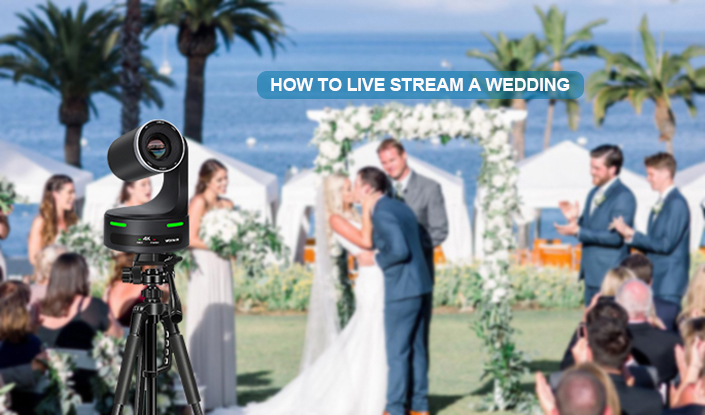
Weddings are their own category. Livestreaming a ceremony for relatives who can’t travel usually runs $500 to $1,500 as an add-on, often handled by the same crew shooting the film. The challenge is rarely the cameras. It’s almost always connectivity, which is why outdoor and rural weddings push toward the bonded-cellular surcharge. If you’re hiring for this, the people who already shoot wedding video tend to be better equipped here. A generic AV company that has never worked a processional usually isn’t.
Conferences and town halls reward multi-camera setups and clean graphics. They often need a hybrid component, where in-room and remote audiences interact. That polish is why corporate video crews command higher rates. They’re integrating slides, Q&A from remote attendees, and sometimes simultaneous breakout-room streams. Concerts and sports trade graphics for camera count and movement, with wireless cameras and replay driving the bill up. A house of worship is the opposite, with a fixed, repeatable setup. That’s why a recurring weekly stream often gets a flat retainer, $400 to $1,200 per service.
Recording, multi-platform, and the common add-ons
The stream itself is often just the start of the quote. Recording the program in full resolution for later editing is usually included, or it costs a small premium, since the switcher is already producing the feed. Isolated recordings of each camera, called ISO records, cost more. Every camera needs its own recorder and more storage. In return, an editor gets real cutting options for a polished recap afterward.
The usual add-ons stack up fast:
- Multi-destination streaming: one feed pushed to YouTube, LinkedIn, and a registration page at once, around $50 to $300 through Restream or vMix’s built-in outputs.
- Live captioning: $75 to $200 per hour for a human captioner, less for AI captions that are good but not flawless.
- Custom graphics: lower thirds, a countdown holding slide, animated transitions, and sponsor bumpers, billed as two to six hours of design time at the editor’s rate.
Post-event editing is the piece people forget to scope. Turning a three-hour stream into a tight five-minute highlight reel, or carving out individual speaker sessions, is separate work. It typically runs $400 to $2,000 depending on length and turnaround. Decide before the event whether you want the raw recording or edited deliverables. That choice changes how the crew records and labels everything on the day.
DIY vs hiring a crew, and the questions to ask
You can stream a small event yourself. A single Sony ZV-E10, an ATEM Mini, a wired connection, and OBS will get a clean single-camera feed online for under $1,500 in gear you keep. For a low-stakes webinar or an internal update, that’s a sensible call. Plenty of working videographers built their first livestream rigs exactly this way.
The DIY math stops working the moment the event is high-stakes, multi-camera, or unrepeatable. There’s no second take on a keynote or a wedding ceremony. If 1,500 people are watching a product launch, ten minutes of frozen stream costs far more than the few thousand dollars a real crew charges. That’s what you’re buying at the higher tiers. Not nicer cameras, but the redundancy and the experienced hands that keep the feed alive when something breaks, because something usually does.
When you collect quotes, push past the headline number. Ask the questions that separate the bids:
- How many crew members are on site, and what does each one do?
- What’s the internet plan, and is there an automatic backup?
- Are recording and editing included or extra?
- What platform are we on, and what are the viewer limits?
Two quotes that look $3,000 apart often differ entirely in redundancy and headcount. Once you can see that, the right cost to livestream an event becomes a decision you can actually make, not a number you’re guessing at.
Before you sign anything, ask the crew to walk you through their last failed stream and what they changed afterward. The honest ones have a story, and the way they tell it tells you more than any line on the invoice. Compare a few vetted event and corporate crews on the same scope, so you’re judging like for like.