You just wrapped a two-camera wedding. There are 380GB of clips on a shuttle drive, and the couple wants a five-minute highlight film in three weeks. The camera you shot on matters less right now than the program you cut in. That software sets how fast you get through footage. It decides whether the color holds up and how much you pay every month to keep working. Choosing the right video editing software for videographers is one of the few decisions you make once and live with for years. Get it wrong and one of two things happens. You overpay for a subscription you barely use, or you fight your own software on every deadline.
Three tools dominate the workflows of serious working shooters in 2026: Blackmagic DaVinci Resolve, Adobe Premiere Pro, and Apple Final Cut Pro. Everything else is a stepping stone or a niche. Below is how they really compare, what they cost, and how to pick based on the jobs you book instead of what a YouTube reviewer runs.
The best video editing software for videographers in 2026
Strip away the marketing and the field narrows fast. Premiere Pro is the industry default, the program most agencies and broadcast houses expect you to hand a finished project into. DaVinci Resolve started life as a color grading suite. It grew into a full edit-color-audio-effects platform that happens to ship a genuinely capable free version. Final Cut Pro is the Mac-only speed play, a one-time purchase that flies on Apple silicon and gets dismissed by people who have never actually cut on it.
The honest truth is that all three can cut a wedding film, a brand spot, or a real estate walkthrough to a professional standard. A client will never watch your delivery and guess which editor produced it. So the decision is not about which one makes better video. It comes down to cost structure, how your brain works, whether you collaborate, and what your computer can handle. Those four things point you at one program more clearly than any feature list.
Here is the frame I use with new shooters: match the tool to the invoice, not the hype. A solo wedding filmmaker has different needs than a two-person agency team juggling revisions. Pick the program that fits how you actually get paid, and the feature debates mostly disappear. The gear forums will tell you the opposite, loudly. Ignore them and look at your own invoices.
DaVinci Resolve: the free tier that outgrew the word free
Resolve is the reason “you need a budget to start editing” stopped being true. The free version of DaVinci Resolve 20 does more than most videographers will ever touch. You get multicam editing, the Fairlight audio page, and Fusion for motion graphics and cleanup. The color page is still the best in the business. Shooting weddings or real estate on a tight startup budget? You can deliver paid work on the free tier and never apologize for it.
The paid version, DaVinci Resolve Studio, is a one-time purchase of around $295 with no subscription. That unlocks proper noise reduction, more GPU-accelerated effects, better performance on high-resolution timelines, and the AI tools. You buy it once, you own that version, and updates within the major release are free. Over three years, that $295 stacks up against roughly $828 in Premiere subscription fees at the single-app rate. You can confirm the current price on the Blackmagic Design product page.
The catch is real. Resolve is demanding on hardware, it leans hard on your GPU, and its media management punishes sloppy file organization. The color-first layout also means the edit workflow feels foreign if you came up on a timeline-centric program. It is still the best value in editing by a wide margin, and it is the one I steer new videographers toward. Just know that it asks more of your machine than the alternatives.
One underrated perk: the Studio license covers two machines on one purchase. That matters if you cut on a desktop but review on a laptop. Blackmagic also sells the $595 Speed Editor keyboard. It genuinely speeds up long-form assembly if you live on the cut page.
Premiere Pro: what you pay for the industry standard
Premiere Pro is where you go when you work with other people. Take on corporate video production or agency jobs and someone will eventually ask for a Premiere project file. Broadcast deliverables, XML round-trips, and shared team projects all assume Premiere or Avid, not Resolve. Having the whole Creative Cloud ecosystem around it saves you real hours. After Effects handles motion graphics, Audition repairs audio, and dynamic linking ties them together. The tight integration is the actual product, not any single feature of the editor.
The cost is a subscription, and it stings over time. As of 2026, Premiere Pro as a single app runs about $22.99 per month on an annual plan, or roughly $34.99 month-to-month. The full Creative Cloud suite, which most working pros end up needing, is around $59.99 per month annually. That is close to $720 a year that recurs whether you book two jobs that month or twenty.
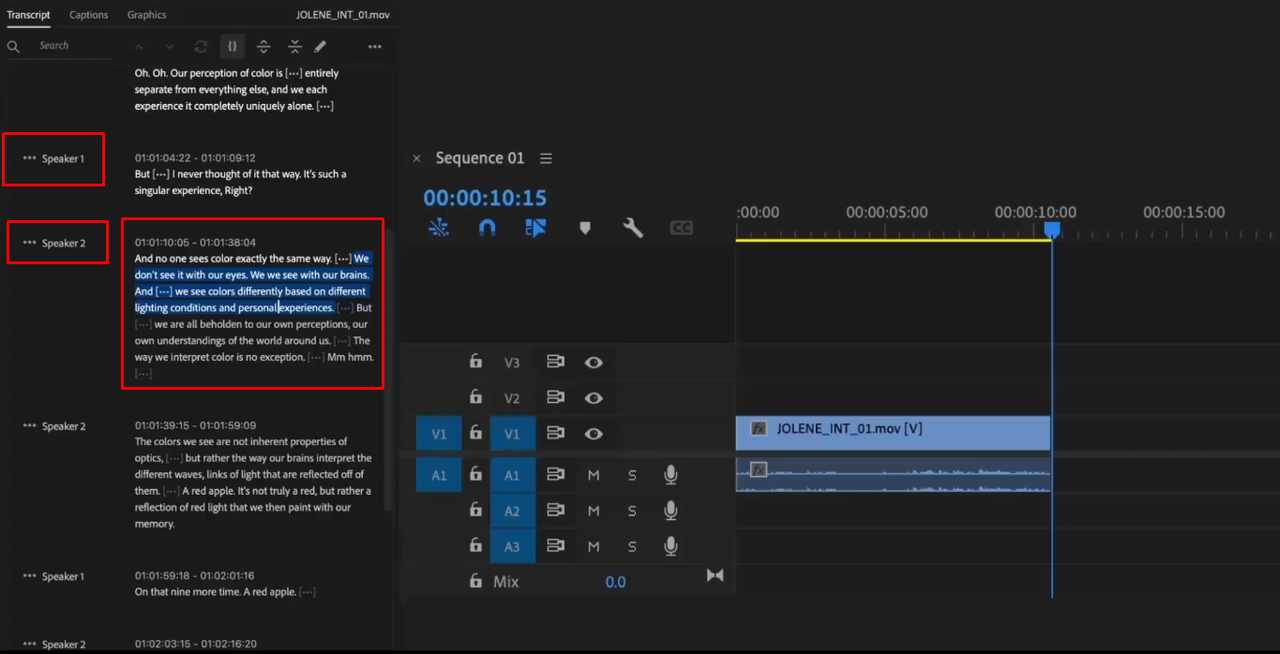
Premiere’s recent AI-assisted tools earn their keep. Text-based editing lets you cut interviews by editing a transcript. Enhance Speech rescues bad location audio. Both are genuinely useful for anyone doing testimonial and brand work. The downside beyond price is stability. Long, effects-heavy timelines can still crash, so you learn to save constantly and set auto-save to two-minute intervals. Frame.io now ships free with a Creative Cloud subscription. That makes client review rounds far less painful than emailing Dropbox links. You are renting the industry standard, and for collaborative and commercial work the rent is usually worth paying.
Final Cut Pro: the Mac-only speed argument
Final Cut Pro costs $299.99 as a one-time purchase on the Mac App Store. A separate iPad version runs about $4.99 per month or $49 per year. That perpetual license is the whole pitch: buy it once, own it, no monthly bill. Apple silicon changed the math here. On an M-series MacBook Pro or Mac Studio, Final Cut renders and plays back multicam timelines beautifully. That smoothness still surprises the people who wrote it off a decade ago.
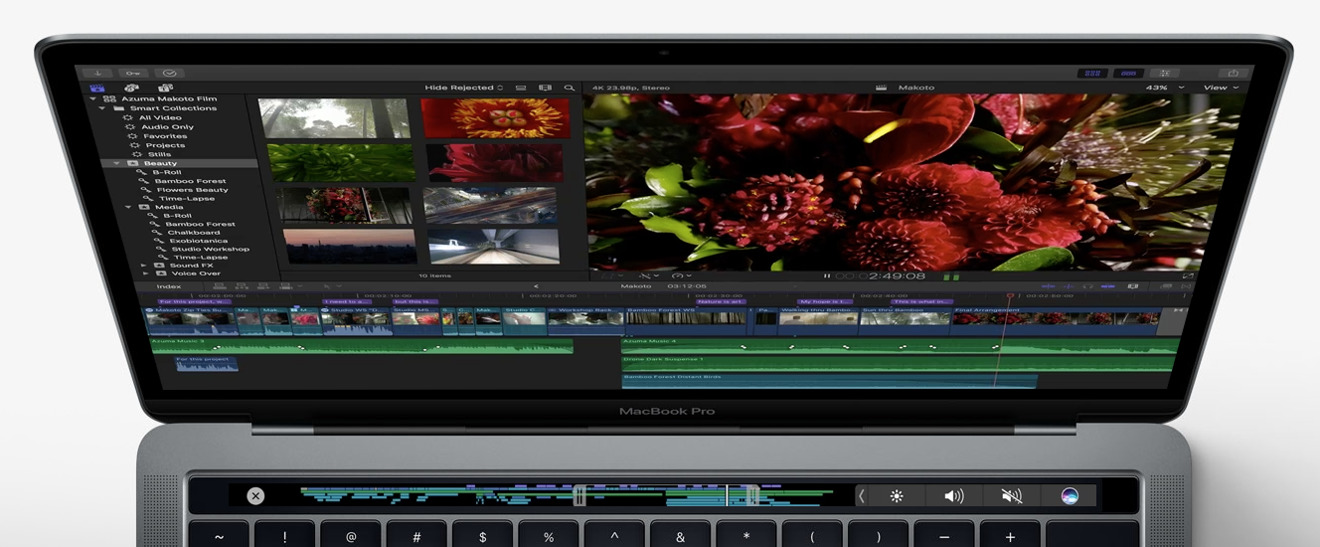
The magnetic timeline divides everyone. It clips and shuffles automatically instead of leaving gaps. Some editors find that fast and freeing; others find it maddening because they want manual control over every track. There is no neutral opinion here. Try the 90-day free trial before you commit, because you will know within a week whether your hands agree with it.
The limitations deserve plain naming. Final Cut is Mac only, so Windows shooters can stop reading here. Collaboration with non-Final Cut editors is clumsy, since almost nobody outside the Apple ecosystem accepts an FCP project. And while the third-party plugin market is strong, the broadcast and agency world still leans Premiere. For a solo videographer on a Mac who owns the whole pipeline, Final Cut is fast, cheap over time, and quietly excellent.
The plugin ecosystem is quietly deep. MotionVFX sells cinematic title and transition packs, and Ripple Training makes the best tutorials in the business. Pair Final Cut with Compressor, a $49.99 companion app, and your export and batch encoding options open right up.
Where CapCut, iMovie, and mobile tools actually fit
There is a tier below the big three, and pretending it does not exist is dishonest. CapCut, the templated social editor, is genuinely good at short vertical content, quick captions, and trend-driven edits for Instagram and TikTok. Plenty of social media videographers cut client Reels in CapCut and deliver same-day. The auto-captioning alone saves an hour per batch. CapCut Pro runs about $9.99 a month and lifts the watermark and export caps. It is a real tool for a real job.
Where it stops being enough is control and licensing. Read the terms carefully. Commercial usage rights on templates, stock, and music inside these apps are not the same as owning your edit outright, and a brand client’s legal team will ask. The moment a job needs precise color, multicam sync, or revisions tracked over weeks, you outgrow the templates. That is when you graduate to real video editing software for videographers: Resolve, Premiere, or Final Cut. Treat CapCut as a fast lane for disposable short-form, not the backbone of a videography business that bills four figures a project.
iMovie sits in the same conversation as a training-wheels program. It is free on every Mac, it teaches the basic grammar of cutting, and its projects can be pushed up into Final Cut later. A kids’ recital, a family montage, a rough assembly to show a couple: iMovie handles all of it. Nobody delivers a paid wedding film from iMovie. It is still a fine place to learn what a timeline even is before you spend a cent.
Hardware decides more than the app you pick
Here is what the software comparisons bury: your computer shapes your editing experience more than the program does. A brand-new copy of Resolve on an underpowered laptop with 8GB of RAM will feel worse than an older Premiere install on a properly specced machine. RAM is the single most common bottleneck I see on shooters’ machines. Not the CPU, not the GPU, the RAM. Before you agonize over which editor to buy, look honestly at what you are running.
For comfortable 2026 editing, the targets are not mysterious:
- At least 32GB of RAM, and 64GB if you cut a lot of 4K multicam.
- A dedicated GPU with 8GB or more of VRAM for Resolve and Premiere.
- Fast NVMe storage for active projects, plus a separate drive for archive.
Apple silicon Macs are the exception. The unified memory architecture punches above its spec sheet, and a base M-series Mac Studio handles 4K multicam that would choke a comparably priced Windows laptop. A base Mac Studio with the M4 chip lands around $1,999. Spec a comparable Windows tower with 32GB of RAM and an RTX 4070. You land in the same ballpark before you even buy a monitor. That is the same math behind what it costs to start a videography business, where the edit machine is often a bigger line item than the camera.
Proxies are the great equalizer, whatever software you run. All three big programs generate low-resolution proxy files, let you edit against those for buttery playback, then relink to the full-resolution originals for the final render. If your timeline stutters, the fix is almost never a different editor. It is proxies, more RAM, or an SSD instead of a spinning drive. A 2TB Samsung T7 Shield runs about $150 and is fast enough for most active projects. Keep your archive on cheaper spinning drives or a NAS, not on the drive you edit from.
How to pick based on the work you actually book
Stop shopping by feature list and shop by your situation. Starting out, tight on budget, and hungry for the most capability per dollar? Install the free version of DaVinci Resolve today, then upgrade to Studio when a job pays for it. Editors who collaborate with agencies, cut heavy motion graphics, or hand projects to other people should pay for Premiere Pro and treat the subscription as a cost of doing business. And the solo shooter on a modern Mac who owns the whole pipeline and hates recurring fees should buy Final Cut Pro once and stop thinking about it.
The worst move is switching editors every six months chasing a marginal feature. I once watched a shooter lose a corporate retainer over this. He switched to Final Cut mid-project and could not open the client’s Premiere files. Mastery of one program beats surface knowledge of three. A client would rather hire someone genuinely fast in Premiere than someone who dabbles in all of them. Pick based on the three variables that actually apply to you, cost, collaboration, and hardware, and commit for at least a year.
The best video editing software for videographers is the one you can run smoothly, afford consistently, and know well enough to cut fast under a deadline. Everything else is preference. Download the free trials of all three this week. Cut the same 90-second sequence from a recent job in each. Let your own hands make the call before your next booking lands. If you are still building the business side, see how BookVideographer works for landing those bookings in the first place.